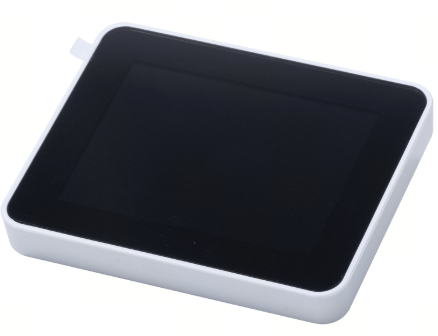
Creality SPARKX i7 Touch Screen – 77.5 × 63 × 15 mm – Genuine Replacement Display
The Creality SPARKX i7 Touch Screen is a replacement display assembly designed for the Creality SPARKX i7 3D Printer. It provides the primary user interface for accessing printer controls, monitoring print status, adjusting settings, and operating the printer directly from the machine.
With dimensions of approximately 77.5 × 63 × 15 mm, the touchscreen is designed as a direct replacement for the original SPARKX i7 display. It is ideal for repairing a screen that has become damaged, unresponsive, cracked, or otherwise unable to provide reliable printer control.
Product Function
The touchscreen serves as the SPARKX i7's local control interface, allowing users to interact with printer functions and view important operating information.
A properly functioning touchscreen provides convenient access to:
- Printer operation and control
- Print status monitoring
- Printer settings and configuration
- Filament-related operations
- Calibration functions
- Maintenance and system menus
- On-screen notifications and printer information
Key Features
- Designed specifically for the Creality SPARKX i7
- Replacement touchscreen/display assembly
-
77.5 × 63 × 15 mm dimensions
- Responsive touch-based printer control
- Provides access to printer settings and operating functions
- Displays print status and system information
- Direct-fit replacement for the original screen
- Ideal for replacing a cracked, damaged, or unresponsive display
- Helps restore normal printer interface functionality
Specifications
-
Brand: Creality
-
Product Type: Touch Screen / Display Assembly
-
Compatible Printer: Creality SPARKX i7
-
Dimensions: 77.5 × 63 × 15 mm
-
Interface Type: Touch
-
Function: Printer Control & Status Display
-
Installation Location: Front Control Panel
-
Installation: Direct Replacement
When Should It Be Replaced?
Consider replacing the touchscreen if you experience:
- Cracked or physically damaged display
- Touch controls not responding correctly
- Intermittent touchscreen operation
- Display not turning on
- Screen image abnormalities
- Damaged screen connector or housing
- Difficulty accessing printer controls
Before replacing the screen, inspect the screen flex cable and connections, as a loose or damaged cable can produce similar symptoms.
Package Includes
- 1 × Creality SPARKX i7 Touch Screen Assembly
Important Notes
This listing is for the touchscreen/display assembly. The SPARKX i7 Screen Flex Cable is a separate replacement component unless specifically included with the product.
Always power off and unplug the printer before disconnecting or replacing the touchscreen or its internal cables.